
At a glance
You can make an inspection proposal easier to evaluate by explaining the guard's role, the work you will deliver and the conditions you must verify. A clear proposal can support the buying discussion; the accessory alone cannot guarantee approval or a contract.
Lead with the client’s inspection result
Your client needs usable information about an asset. Begin with the areas to inspect, the images or measurements to deliver, access arrangements and acceptance criteria. Explain where your proposed flight path requires additional attention to nearby structures.
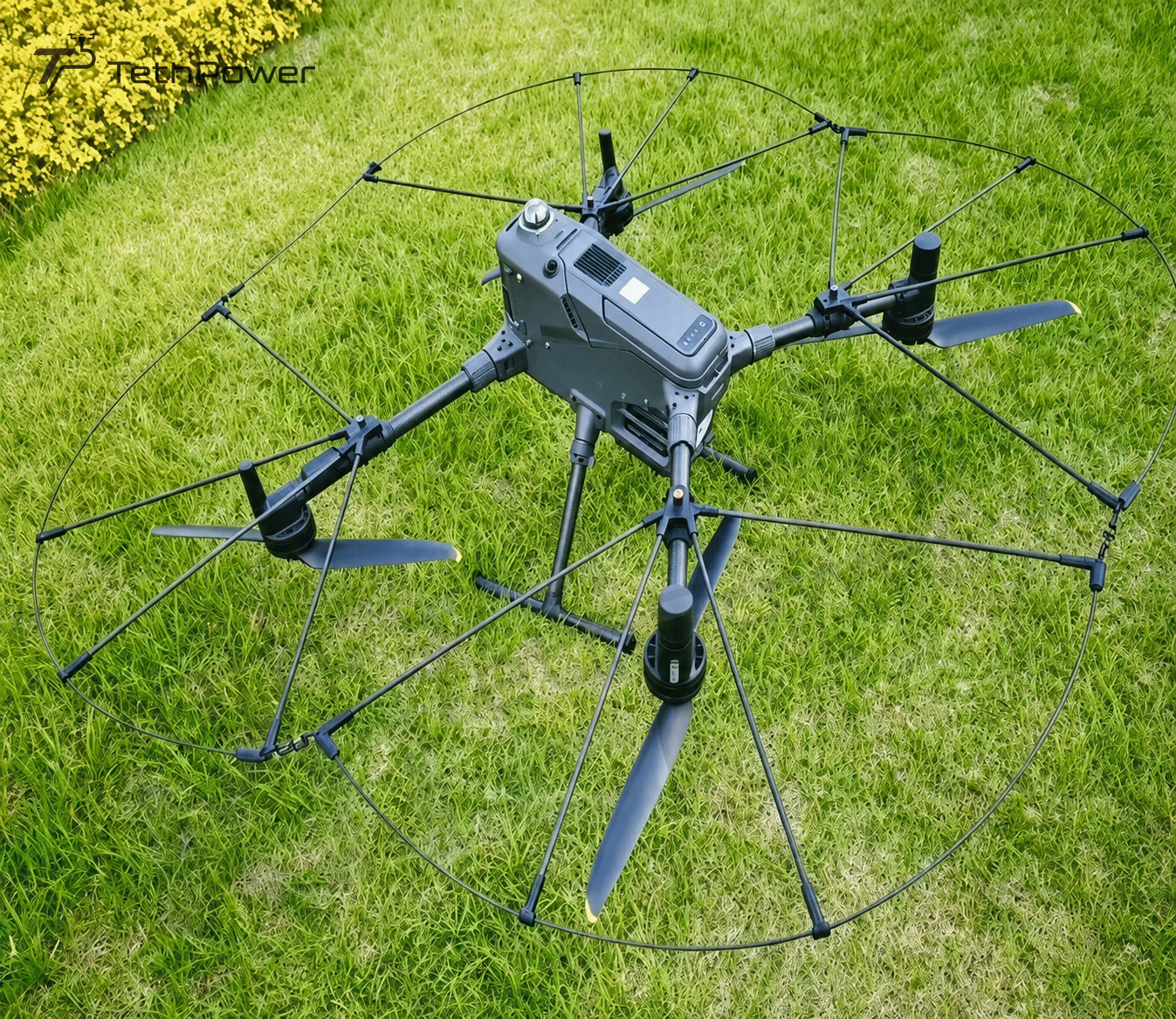
Then describe our propeller guard as a passive physical buffer around the rotor perimeter. It complements planning and aircraft sensing. It does not promise collision-proof operation, permission to touch a structure or unrestricted indoor access.
Give each decision-maker the right information
Prepare a short equipment and mission brief that the site team can review. Keep claims about your service tied to the configuration and evaluation you can demonstrate.
| Proposal item | What you provide | What needs agreement |
|---|---|---|
| Inspection scope | Target areas, deliverables and image requirements | What counts as completed work |
| Aircraft configuration | Aircraft, guard architecture and simultaneous payloads | The configuration to be evaluated |
| Site arrangements | Access, separation, landing area and nearby obstacles | Responsibilities and stop conditions |
| Evaluation | Planned checks and representative observations | Evidence needed before the mission |
These details help surface unanswered questions before a crew arrives. They do not replace the client’s approval process, the operator’s assessment or applicable operating requirements.
Explain limits in useful language
State that added mass and drag can affect handling and endurance, and that the installed aircraft needs clearance and sensor checks. If the client asks for impact-test results, an insurance discount or a certification, ask us what documentation is available for the supplied configuration before making any statement.
Use the product information to explain the guard, and observations from your own site assessment to support the proposed inspection. Product photographs show the equipment, not the outcome of a customer mission.
Agree a demonstration that answers a question
A useful demonstration checks whether your configuration can capture the required information while maintaining the planned separation and operating limits. Agree the site, payload, conditions, observers and recorded results in advance. Keep the test area clear and follow the aircraft instructions.
Do not include deliberate contact with walls, cables or people. If a required area cannot be inspected within the agreed conditions, document that limitation and revise the scope. This is more useful to the client than describing the aircraft as universally protected.
Request the equipment information you need
Send us the proposed scope, aircraft configuration and the client’s specific equipment questions. We can help with guard selection and integration planning. Contact sales for quotation details and the documentation available for your order.
The job-cost worksheet can help you price the service around your own costs. A clear equipment scope and a realistic site assessment give the client a useful basis for discussing the proposal.